Connectors
Connectors let Cai create issues and tickets in external services — directly from your clipboard. Copy an error, press Option+C, and create a GitHub or Linear issue in seconds.
GitHub
1. Create a Personal Access Token
- Go to GitHub Token Settings
- Click Generate new token → Fine-grained token
- Set Token name (e.g., “Cai”)
- Under Repository access, select Only select repositories and pick the repos you want Cai to create issues in
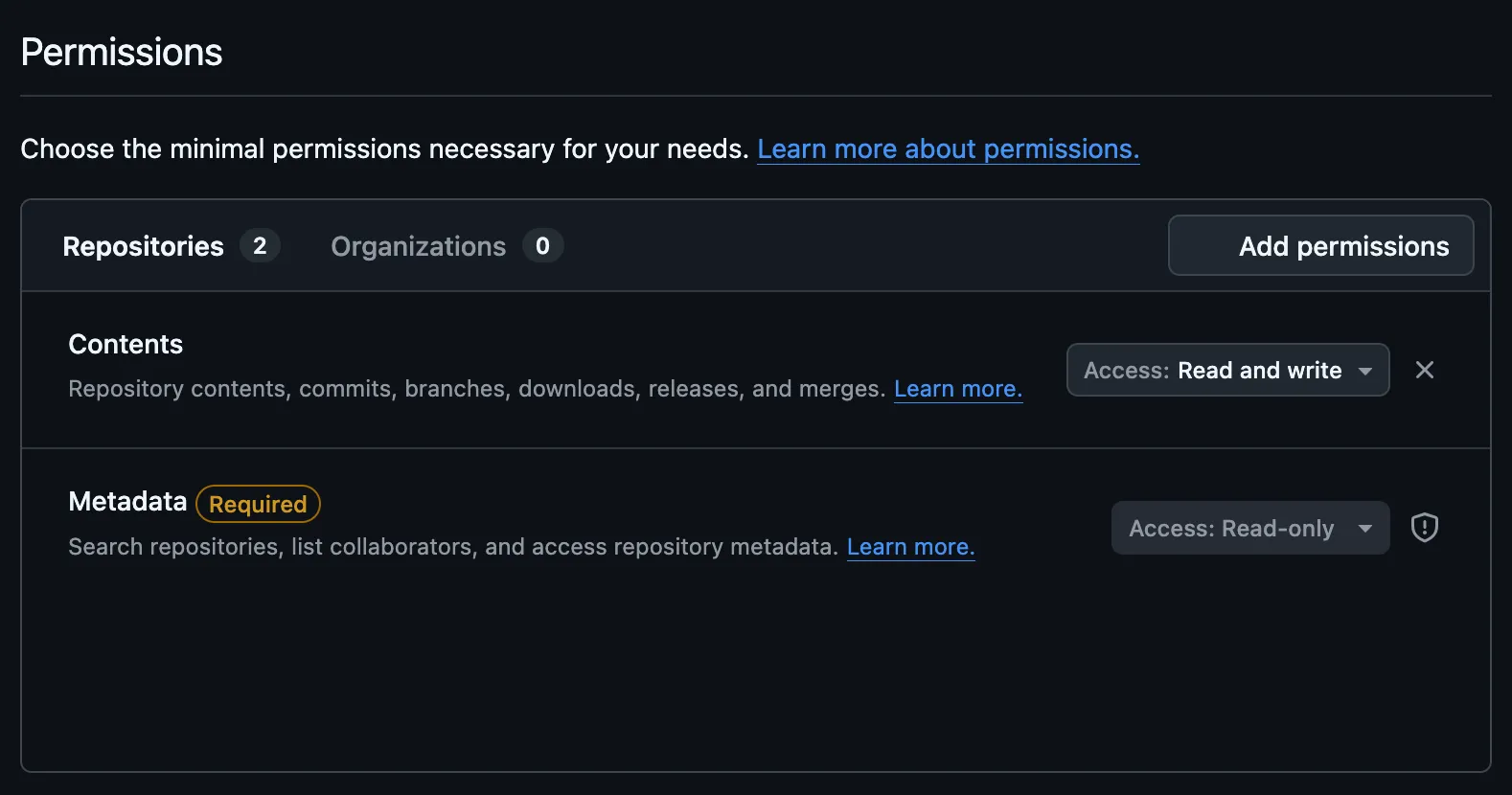
- Under Permissions → Repository permissions, set Issues to Read and write
- Click Generate token and copy it
2. Add to Cai
- Open Cai → Settings → Connectors
- Expand GitHub and paste your token (
ghp_...) - Click Save, then Test Connection
You’re all set — “Create GitHub Issue” will now appear in your action list when you press Option+C.
Privacy: Your token is stored in macOS Keychain — never in config files or sent anywhere except GitHub’s API.
Linear
1. Create an API Key
- Go to Linear API Key Settings
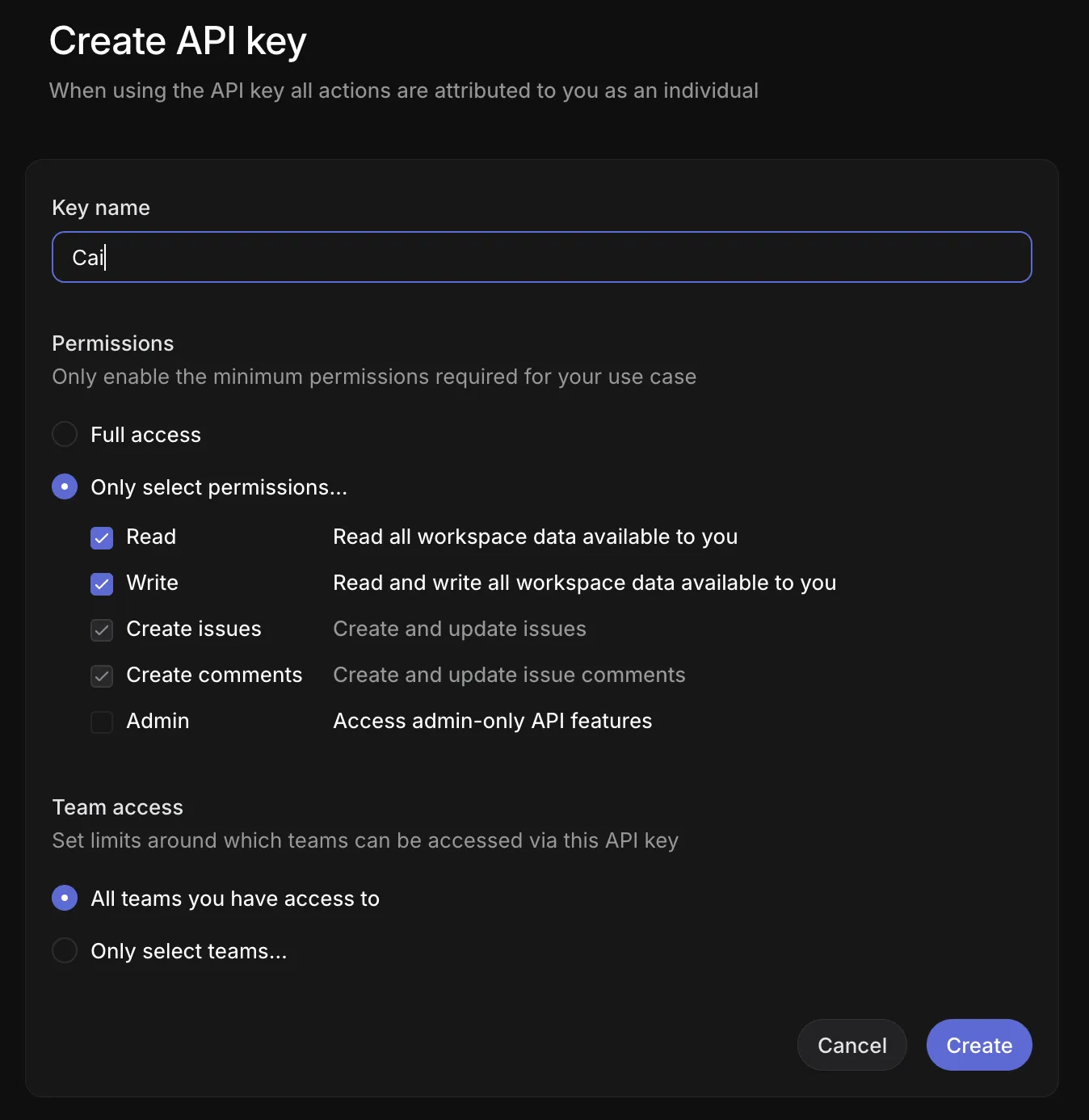
- Set Label (e.g., “Cai”)
- Set Permission to Read & Write
- Set Team access to All teams you have access to
- Click Create and copy the key
2. Add to Cai
- Open Cai → Settings → Connectors
- Expand Linear and paste your API key (
lin_api_...) - Click Save, then Test Connection
You’re all set — “Create Linear Issue” will now appear in your action list when you press Option+C.
Privacy: Your API key is stored in macOS Keychain — never in config files or sent anywhere except Linear’s API.